


Anatomyka - 3D Anatomy Atlas
4.2208.00 Reviews
App Specs
- Version
- 3.4.0
- Updated On
- License
- Free
- Downloads
- 1,000,000+
- Developer
- Woodoo Art s.r.o.
- Categories
- Medical
- Platform
- Android, iOS
Screenshots
 Analysis by AppCompare
I usually know within a few days whether an educational app will become part of my routine or remain something I open once out of curiosity. With Anatomyka - 3D Anatomy Atlas, the first impression is easy to understand: exploring the body in three dimensions is more engaging than flipping between flat diagrams. The harder question is whether that visual appeal keeps helping once the novelty wears off. I think it can, especially when you have a specific topic to study, but it works best as a companion to learning rather than a replacement for a course or a reliable medical reference.
This is a free medical app from Woodoo Art s.r.o., and its current version is 3.3.0. It has an average rating of 4.2 from around 12,000 ratings, with over 1 million installs. The Everyone age rating makes it approachable for general learners, while the range of anatomical material can also suit students who want more than a quick overview. In-app purchases are available, so I would check what is included in the free experience before building a study routine around any paid tools.
Exploring the Human Body in 3D
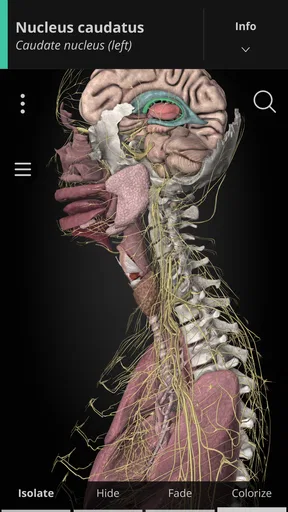
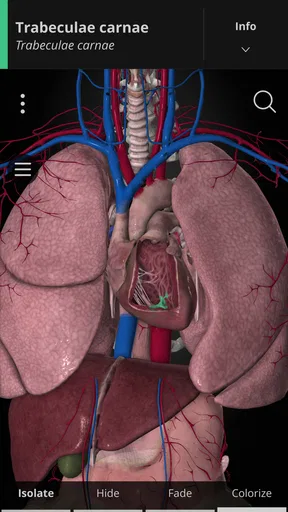
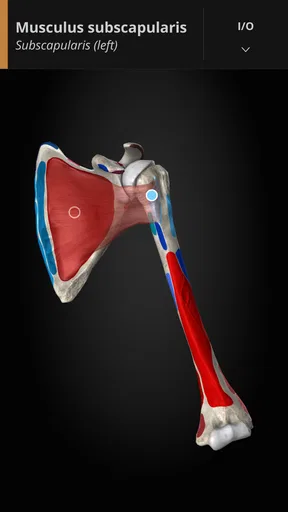
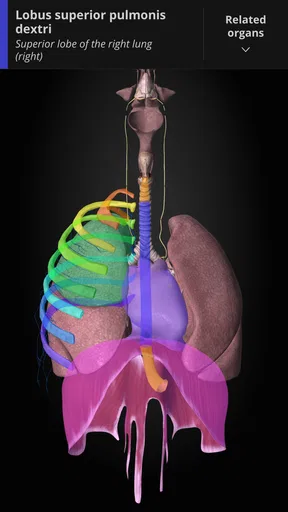
The first thing that caught my attention with Anatomyka - 3D Anatomy Atlas is the sheer detail. I mean, you’re not just getting a flat picture of a skeleton or muscular system. No, this app lets you dive into a three-dimensional world where you can rotate and zoom in on different parts of the body. It’s like having a mini anatomy lab in your pocket!
That spatial view is most useful when a diagram leaves you wondering what sits behind or beside a structure. I find it helpful to rotate a model before reading about a part, then check its position again afterward. That simple sequence turns a name into a location and relationship, which is often what makes anatomy difficult to remember. The atlas covers 13,000 organs, regions and anatomical structures, so there is plenty to explore; the trade-off is that a large catalogue can feel less like a guided lesson and more like a reference shelf unless you arrive with a question.
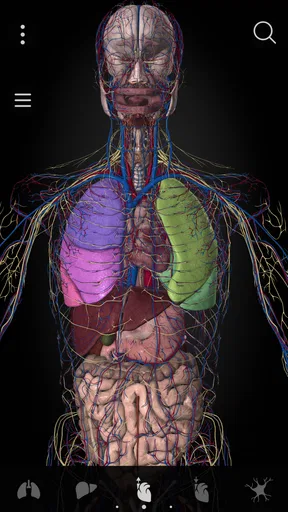
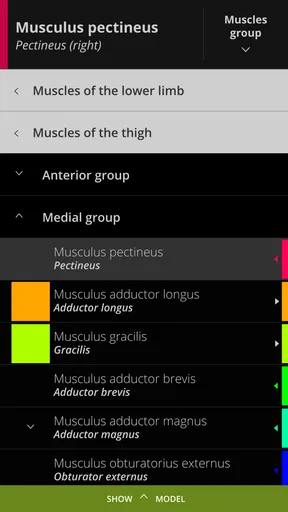
One thing I found super helpful is how everything is organized. You can easily navigate through systems such as skeletal, muscular, and cardiovascular. Each section is packed with detailed information. For instance, you can select a bone, muscle, or organ and get a quick rundown of its function and importance. It’s like having a textbook, but way more interactive.
User Interface and Experience
The user interface is pretty intuitive. Even if you’re not the most tech-savvy person, you’ll find it straightforward to use. The developers have done a great job ensuring that the app is not cluttered, which is a big plus in my book. The 3D models load quickly, and the app runs smoothly, which is crucial when you’re trying to get a closer look at a particular structure.
With any detailed 3D atlas, though, smooth browsing depends on being deliberate. If I keep rotating the model without a goal, it is easy to lose my sense of orientation and mistake visual exploration for learning. I get more from choosing one question first—such as where a muscle attaches or how a structure relates to a neighboring one—then using the model to answer it. If a view becomes confusing, I reset my attention to a broader body region rather than zooming in further. That is a small but useful habit for keeping the interface from becoming a distraction.
Worth Reading Before You Choose

Flipboard Shows What News Apps Must Do Beyond the Feed

Switching to Android Auto Means Rethinking Your Driving Routine

Google Calendar Makes a Crowded Week Easier to Manage

Ludo King Makes the Most of the Minutes Between Plans

Baby Panda World Brings Quick Play to Modern Phones, but Its Game Library Feels Busy

ESPN’s Live Game View Makes Following Close Games Easier
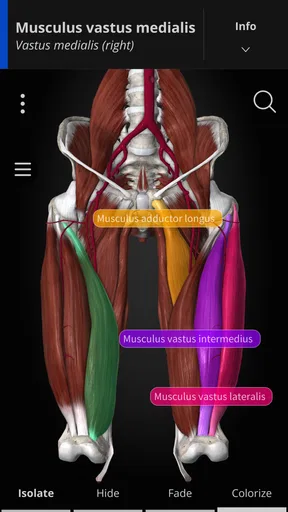
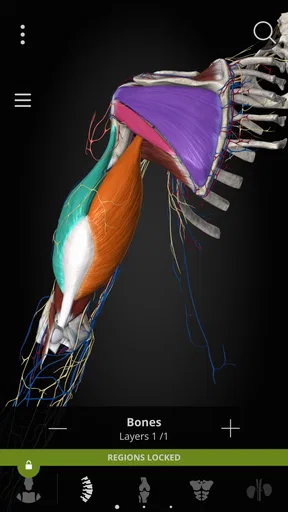
Another thing I loved is the ability to customize views. You can highlight or hide different anatomical structures, which is perfect if you’re trying to focus on a specific system. Plus, there’s an option to toggle between male and female anatomy, which adds another layer of depth to the learning experience.
Those controls are more than cosmetic. Hiding structures can help when several layers compete for attention: I can isolate the system I am studying, inspect its shape, and then bring surrounding anatomy back into view to understand the context. I would avoid trying to learn every visible label at once. A more manageable workflow is to focus on one region, use the visibility controls to simplify it, and then restore the surrounding structures before moving on. That last step matters because anatomy is relational; an isolated model can clarify detail but may conceal how parts fit together.
Who Is It For?
Whether you’re a medical student, a healthcare professional, or just someone with a keen interest in human anatomy, this app has something for you. It’s not just for those in the medical field. If you’re a fitness enthusiast or a yoga instructor, understanding how the body works can be incredibly beneficial.
I would especially recommend it to learners who benefit from seeing spatial relationships rather than memorizing names from a page. A student reviewing a region before class can use it to build a mental map, while a curious reader can follow a question about how body systems are arranged. It can also give a fitness instructor a clearer visual starting point when preparing to explain general anatomy. That is different from using it to assess an injury or choose treatment: an educational model is not a personal diagnosis, and I would direct health concerns to a qualified professional.
I’d also recommend it for educators who want to make their lessons more engaging. Imagine being able to project a 3D model during a class and show students exactly what you’re talking about. It’s a game-changer!
For a teacher, the strongest use is likely demonstration: rotate to a useful angle, simplify the view, and let students connect a term to a visible structure. For independent learners, the same approach can make a short revision session more active than rereading notes. I would not treat the atlas as a complete teaching plan, though. It can show anatomy, but a learner still needs a course, instructor or trusted study material to decide what to prioritize and how much detail is appropriate.
Learning and Teaching Tool
The app is not just about viewing models. It’s also packed with quizzes and learning modules that can help reinforce what you’re studying. I found the quizzes particularly useful. They’re a great way to test your knowledge and ensure you’re retaining the information.
A practical routine is to study a small area visually, close the app or look away, and then try to recall the structure and its role before checking the quiz. If you only recognize an answer while it is in front of you, that is weaker evidence of recall than retrieving it yourself. The quizzes can make that review feel more active, but I would still pair them with class notes or a textbook when exact terminology and course-specific emphasis matter. That combination gives the 3D view a clear job instead of asking it to do all the teaching.
There’s also a section dedicated to common diseases and conditions. This is fantastic for anyone wanting to understand how different ailments affect the body. The explanations are clear and concise, making it easy to grasp complex medical concepts.
I see that material as an accessible introduction, not a clinical guide. It can help a reader connect a condition with the body areas involved, but anyone making decisions about symptoms needs more than a visual learning app. For the same reason, I would not use its disease content as a substitute for individualized medical advice. Its value is in building general understanding and giving a learner a clearer picture to discuss with a teacher or healthcare professional.
When Another Study Method Works Better
Compared with a paper atlas or a standard anatomy diagram, this app’s key advantage is that I can change the viewing angle and adjust which structures are visible. That makes it more useful when the question is about depth, position or how parts relate in space. A textbook may be the better choice when I need a carefully sequenced explanation, a stable page to annotate, or a focused overview without interactive choices. A lecture or instructor is better when I need feedback on whether I have understood a concept correctly.
It is also not the right fit for every learning style. If you mainly need quick definitions, a concise glossary may be faster than navigating a 3D model. If you are preparing for a course with a fixed syllabus, your assigned materials should remain the authority on what to learn. And if you tend to spend more time exploring visual details than reviewing them, the atlas can become an entertaining detour. I would use it when a spatial question is holding me up, then return to the notes or lesson that frames the topic.
Making It Useful After the First Week
The first few sessions are naturally the most absorbing: a familiar body region looks different when you can inspect it from several angles. For lasting value, I would tie each visit to a small, repeatable goal rather than opening the app just to browse. For example, before a class I might review one region, hide unrelated structures, and check whether I can name the main parts afterward. On another day, I might use a quiz to revisit material I have already encountered. Keeping the sessions focused makes it easier to notice progress without turning the app into another oversized study project.
A realistic everyday use would be a short review before an anatomy lecture or practical class. I could identify the region that will come up, inspect its structures, and make a note of what still feels unclear. Then I would take that question into class instead of trying to learn everything from the model in advance. A fitness instructor might use a similar approach while planning a general explanation of a body area, while a casual learner could explore a single curiosity during a break. In each case, the useful outcome is a clearer question or mental picture, not simply more time spent in the app.
Whether it earns a regular place on a device depends on how often anatomy is relevant to your work or studies. A medical student may return to it across different topics; a general-interest user may open it occasionally when curiosity strikes. That is not a flaw, but it does mean the app’s lasting value is personal rather than automatic. I would keep it if the ability to inspect structures in three dimensions solves a recurring problem for me. If I only want a one-off overview, a book or a short lesson may be enough.
What Can Become Frustrating
The breadth that makes the atlas impressive also creates a maintenance burden for the learner: there is a lot to choose from, and the app cannot decide which structures matter for a particular class or goal. Without a study plan, it is easy to browse widely and retain little. I would set a narrow target before opening it, and stop once I can explain the structure in my own words. That keeps a large reference from turning into an endless tour.
There is also a screen-based trade-off. Rotating and zooming are useful, but a small display can make fine relationships harder to discuss with another person or compare with notes laid out on a desk. In a classroom or group lesson, a larger screen or printed diagram may be more practical for everyone to follow. Likewise, learners who prefer a linear explanation may find a 3D atlas less calming than a chapter that leads them from basics to detail.
The app is free to start, but it includes in-app purchases ranging from $2.99 to $69.99 per item. I would first identify what I actually need from the free experience, then decide whether a paid item supports a recurring study task rather than buying simply because the catalogue looks extensive. It is compatible with operating systems from version 7.1 onward, and it was released on December 9, 2018; its current version is 3.3.0. Those details are useful when checking whether it fits an older device, but the more important question for me is whether I will use its interactive anatomy often enough to justify any optional spending.
Final Thoughts
All in all, Anatomyka - 3D Anatomy Atlas is a powerful educational tool. It combines stunning 3D visuals with comprehensive information, making it an invaluable resource for anyone looking to deepen their understanding of human anatomy. Whether you’re a student, teacher, or just curious about how your body works, this app is definitely worth checking out.
My recommendation is strongest for people who need to picture anatomy in space and are willing to bring their own learning goals. It is less compelling as a casual replacement for a textbook, a structured course, or professional medical guidance. Used in short, purposeful sessions, its models, adjustable views, learning modules and quizzes can support a habit of revisiting difficult topics; opened without a question, the same breadth can make it easy to wander.
So, if you’re ready to explore the fascinating world of human anatomy in a whole new way, give Anatomyka a try. You might just find yourself falling in love with learning all over again!
Pros
- Interactive 3D models enhance learning.
- Detailed anatomical information available.
- User-friendly interface with smooth navigation.
- Regular updates with new features.
- Offline access for study on-the-go.
Cons
- Some features require in-app purchases.
- High storage space needed for installation.
- Occasional lag on older devices.
- Limited language options available.
- Initial load times can be slow.
FAQs for Anatomyka - 3D Anatomy Atlas
What features does Anatomyka - 3D Anatomy Atlas offer?
Anatomyka provides a comprehensive 3D atlas of the human body, allowing users to explore detailed anatomical structures. It features high-resolution models of bones, muscles, organs, and systems, along with interactive functions like rotating, zooming, and isolating parts. Additionally, the app includes educational content, quizzes, and customizable views to enhance learning.
Is Anatomyka - 3D Anatomy Atlas suitable for medical students?
Yes, Anatomyka is an excellent resource for medical students and professionals. It offers detailed anatomical models and educational tools that can aid in studying and understanding human anatomy. The app's interactive features and quizzes make it an engaging way to reinforce learning and test knowledge.
How user-friendly is Anatomyka for beginners?
Anatomyka is designed to be user-friendly, with an intuitive interface that makes navigation easy for beginners. Users can quickly learn how to use the interactive models and access educational content. The app includes tutorials and guides to help new users get started and make the most of the available features.
Does Anatomyka require an internet connection to function?
Anatomyka can be used offline after downloading the necessary data, making it convenient for use in areas without internet access. However, certain features, such as updates or additional downloadable content, may require an internet connection to access and install.
Are there any in-app purchases in Anatomyka - 3D Anatomy Atlas?
Yes, Anatomyka offers in-app purchases for additional features or content. While the basic version includes a wealth of information, users can purchase expanded modules or advanced tools to enhance their learning experience. This allows users to customize the app according to their educational needs and preferences.


